

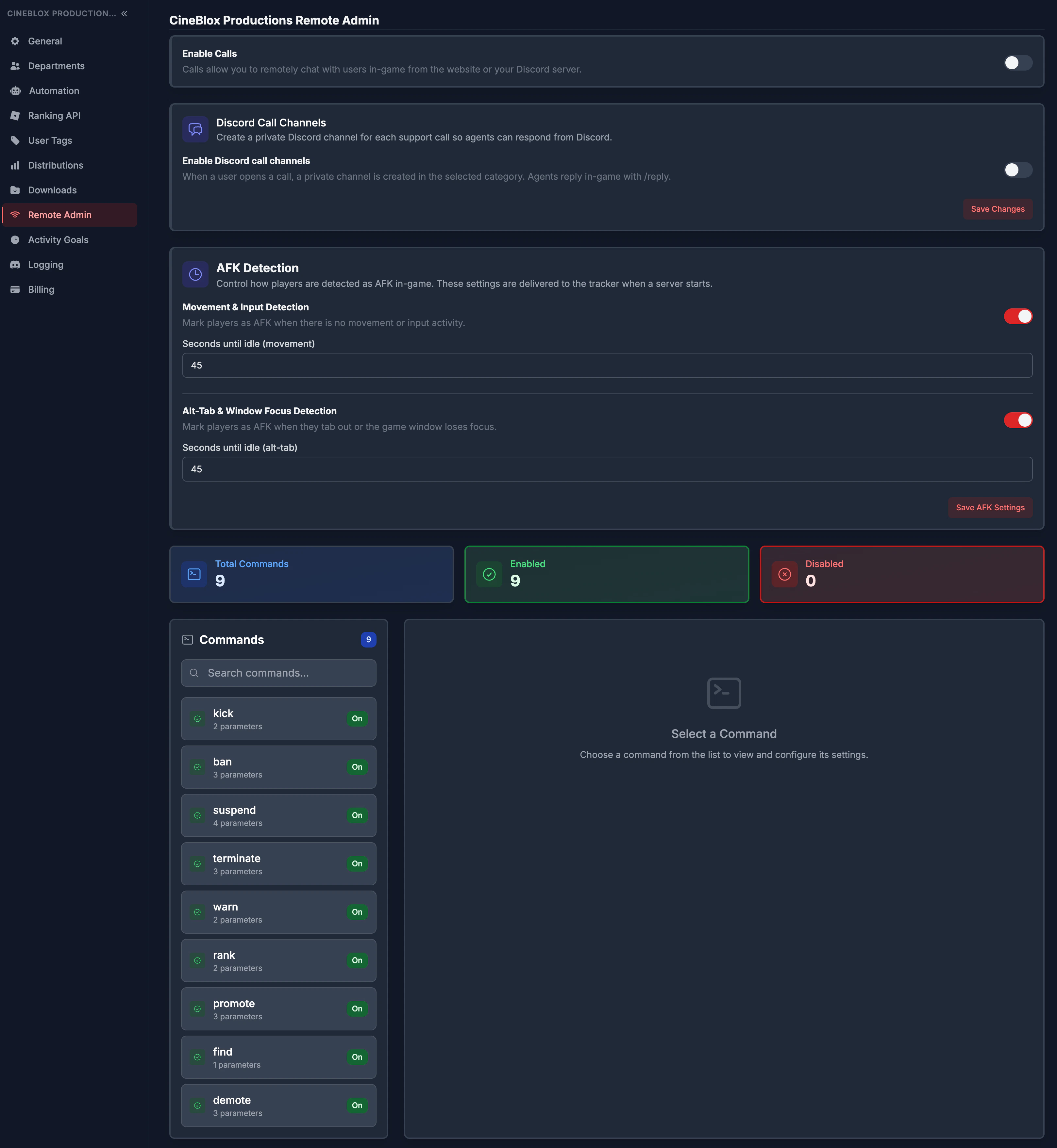
Built-in commands
ReAdmin includes ready-to-use commands out of the box, includingban, kick,
warn, promote, demote, rank, suspend, terminate, and find. Each can
be enabled or disabled and assigned to the exact people who should have it. Need
something specific to your group? Build your own and connect it straight to the
tracker — see Custom Remote Admin Commands.
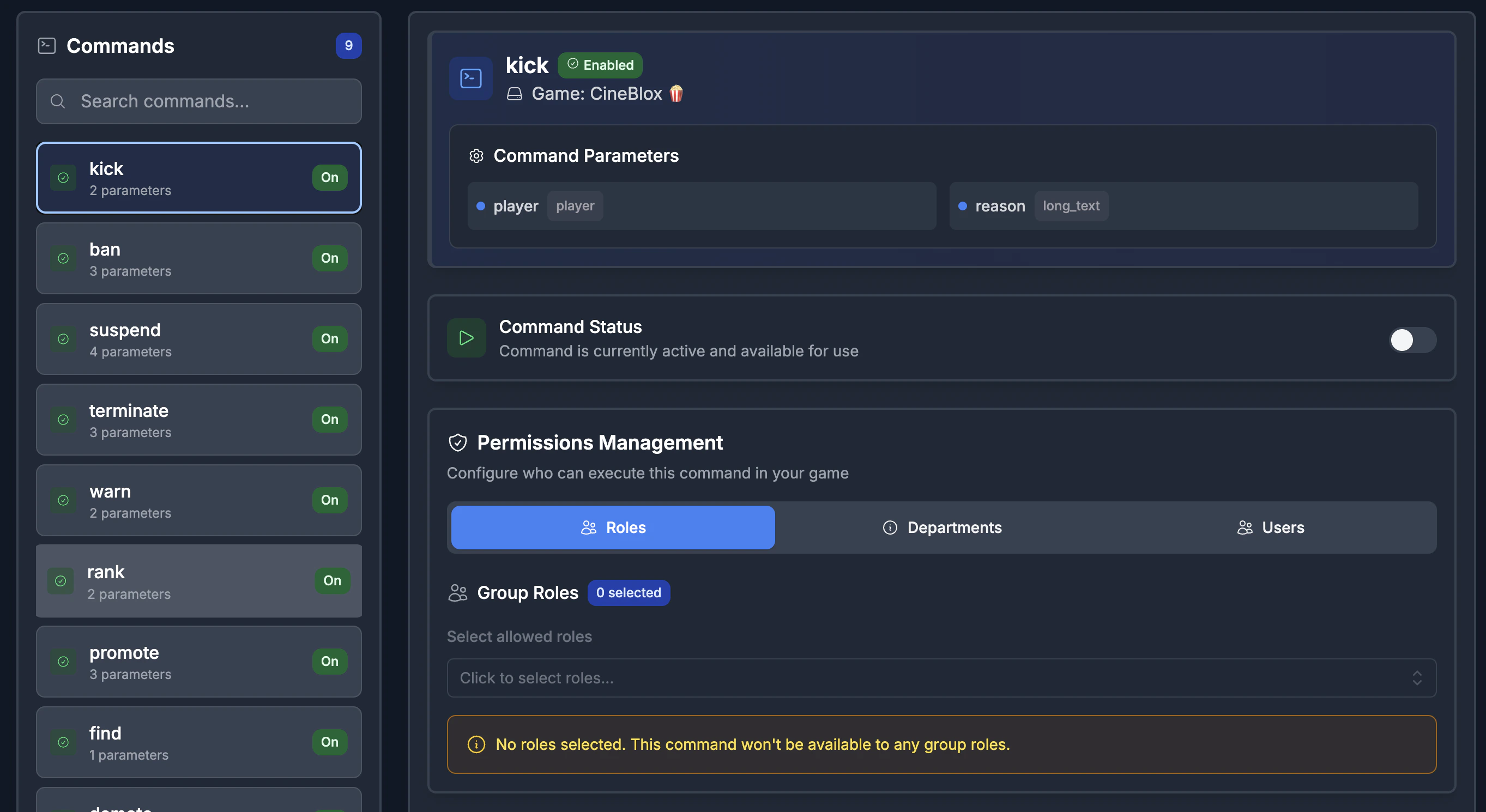
Command permissions
- Review a command overview at a glance (total, enabled, and disabled).
- Search commands and open a detail panel for any of them.
- Assign permissions by role, department, or individual user.
- Changes propagate to live game servers — no republish required.
Calls (moderation dashboard)
Enable or disable Calls for your workspace. When enabled, players can open in-game support and report tickets that land in a live queue your staff work directly from the dashboard.AFK detection settings
Tracked time should be real time. Remote Admin lets activity admins tune exactly how idle time is detected so your activity data stays honest:- Toggle movement / input-based idle detection.
- Toggle alt-tab / window-focus idle detection.
- Set independent idle thresholds (in seconds) for each detection type.
- Save to push the updated behavior to every game server automatically.