This feature is early-access, please give us feedback!
How a flow works
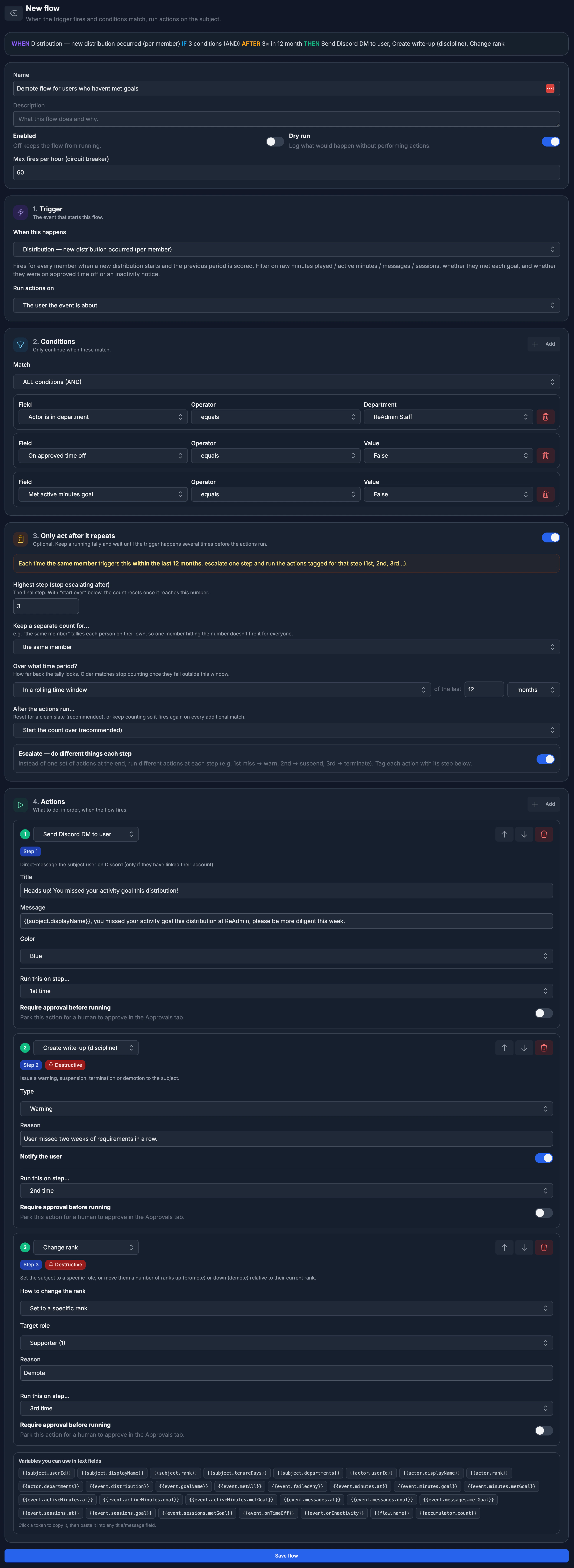
Every flow is built from four parts, in order:- Trigger — the event that starts the flow (a write-up is logged, a member joins, a new distribution occurs, or simply a schedule).
- Conditions — optional filters that must match before the flow continues (e.g. only when the subject is in a certain department, below a rank, or the reason contains a word).
- Only act after it repeats — an optional running tally that waits until the trigger has matched several times before the actions run (e.g. “after 4 write-ups, terminate”).
- Actions — what to do, in order, when the flow fires.
Creating a flow
- Open Flows in your workspace and click New flow.
- Give it a name and an optional description.
- Pick a Trigger and choose who the actions run on (the user the event is about, the user who caused it, the related team, or the related game).
- Add any Conditions you need.
- (Optional) Turn on Only act after it repeats to wait for a pattern.
- Add one or more Actions.
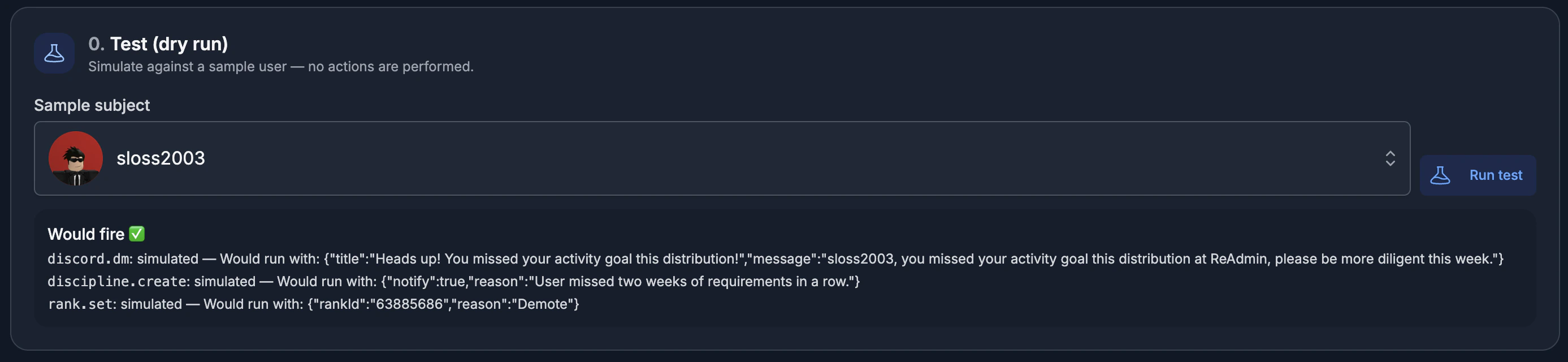
- Use Test (dry run) to simulate the flow against a sample member, then click Save flow.
Triggers
Conditions
Conditions keep a flow from running on every event. Each condition compares a field from the trigger — like the subject’s rank, days in the group, department, or a write-up’s reason — using an operator such as equals, is one of, greater than, contains, or matches regex. Match ALL conditions (AND) or ANY condition (OR). Smart inputs are rendered automatically: true/false dropdowns for yes/no fields, a role picker for ranks, a channel picker for Discord channels, a department picker, and a goal picker for the Which goal filter on activity triggers.Only act after it repeats
Sometimes a single event shouldn’t trigger anything — it’s the pattern that matters. Turn this on to keep a running tally and only act once the trigger has matched enough times.- How many times before acting? — the threshold the count must reach.
- Keep a separate count for… — tally each member on their own, the actor, a game, a team, or everyone in the group combined.
- Over what time period? — a rolling window (e.g. the last 30 days), each calendar period, since the count last reset, or — for distribution triggers — over the last N distributions.
- After the actions run… — start the count over (recommended) or keep counting so it fires again on every additional match.
Escalation
Flip on Escalate to do different things at each step instead of one set of actions at the end. Tag each action with the step it belongs to — for example, 1st miss → warn, 2nd → suspend, 3rd → terminate — and ReAdmin runs the right action as a member climbs the ladder. You’re not limited to three steps: choose Only on a specific step… on any action and enter any step number (up to 100), so you can build as many escalation stages as you need.Actions
A flow can run any number of actions, in order. Available actions include:Template variables
Any text field — titles, messages, notes — supports{{tokens}} that fill in
live data from the trigger, such as {{subject.displayName}},
{{subject.rank}}, {{flow.name}}, and {{accumulator.count}}. The builder
lists every token available for your selected trigger; click one to copy it, then
paste it into a field.
Approvals
Any action can be marked Require approval before running. Instead of firing immediately, the flow parks those actions in the Approvals tab for a human to review. Approve to run them right away, or deny to discard them — perfect for high-stakes actions like terminations.Safety: dry run & circuit breaker
ReAdmin is built to keep automations from causing damage:- Dry run logs what a flow would do without performing any actions.
- Destructive actions (like creating write-ups or changing ranks) are gated behind the workspace owner’s permission ceiling — a flow can never do something the owner couldn’t.
- Max fires per hour is a circuit breaker. If a flow exceeds the limit you set, ReAdmin automatically pauses it and tells you why, so a misconfigured flow can’t spam your members or Discord.