

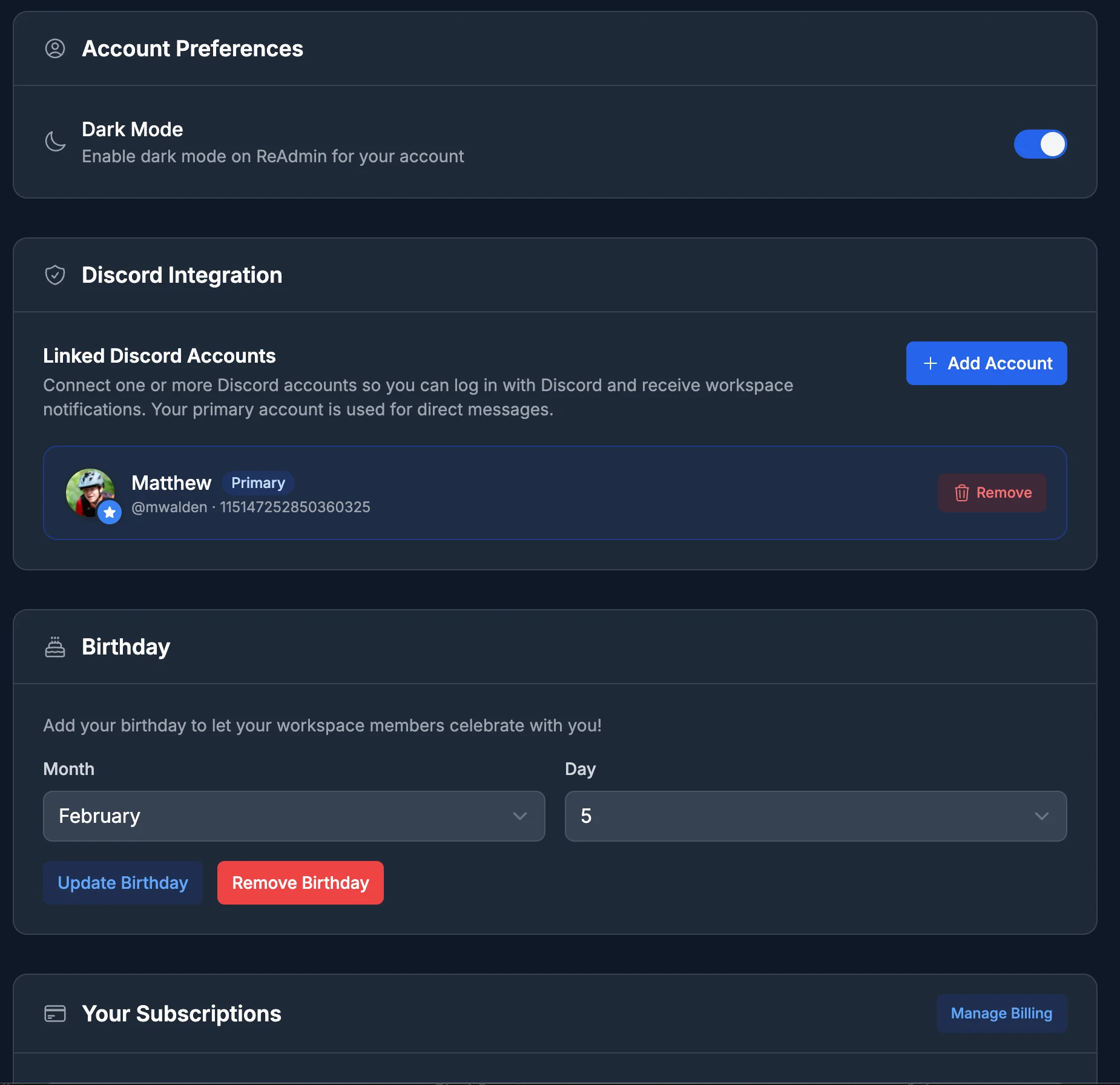
Account Preferences
Dark Mode
Toggle dark mode on or off for your account. Your choice is saved to your profile and follows you to every device you sign in on.Discord Integration
Link one or more Discord accounts to your ReAdmin profile, then pick which one is your primary account. ReAdmin uses your primary Discord account for notifications and any Discord-based automations your workspaces have set up.Birthday
Add your birthday (month and day) so your workspace members can celebrate with you. You can update it any time, or remove it to take it back off your profile.Your Subscriptions
See every workspace subscription tied to your account in one place, including each plan’s status and next billing date. From here you can:- Manage Billing — open the secure billing portal to update payment methods and view invoices.
- Cancel a subscription, or Uncancel one that’s scheduled to end, per workspace.
Billing changes here affect the subscriptions you personally pay for. For
workspace-level plan details, see Billing.