

Looking for how the feature works day-to-day? See the
Teams feature guide.
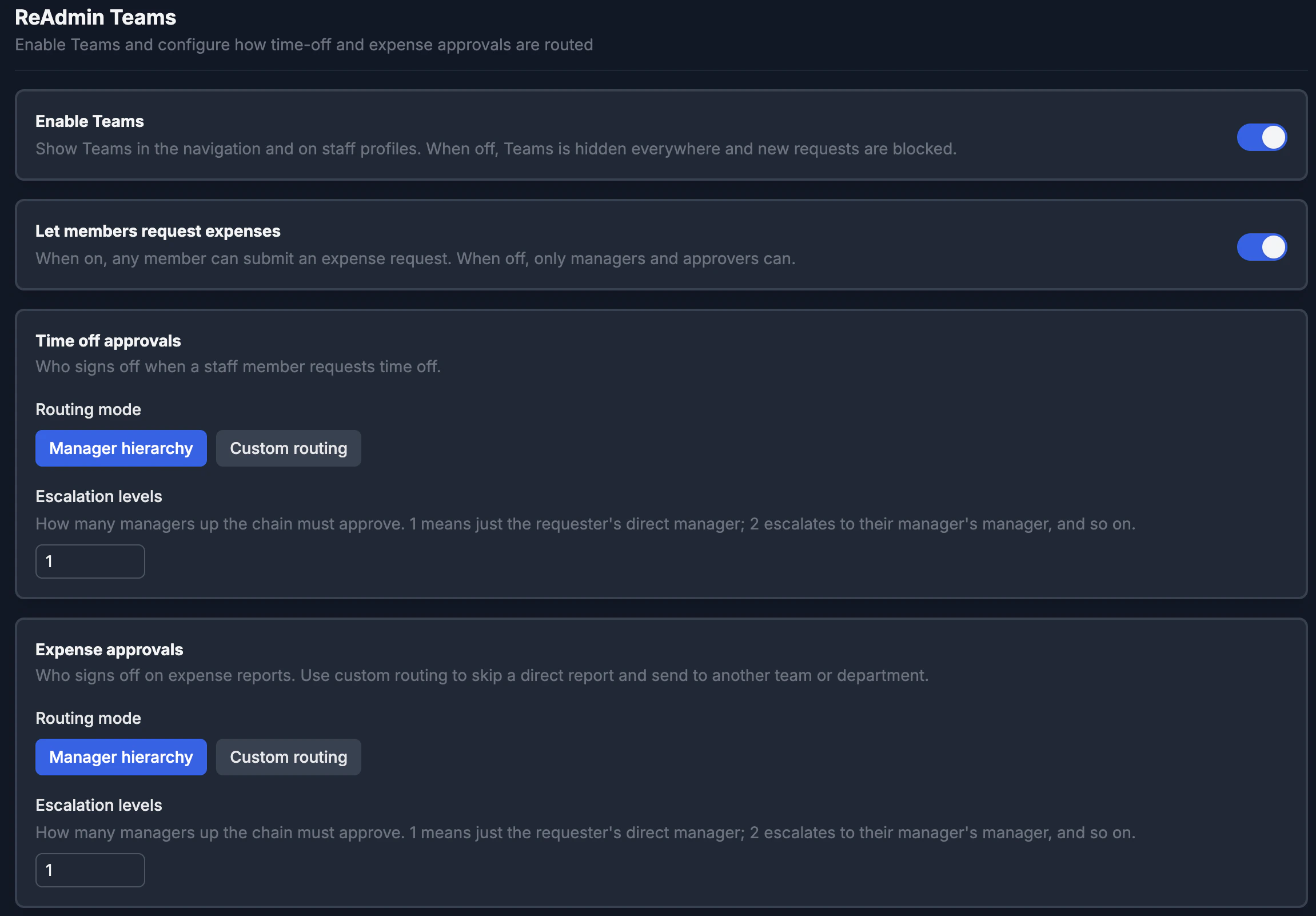
Enable Teams
The Enable Teams toggle is the master switch. While it is off, the Teams navigation, the request queues, and the Teams panel on staff profiles are all hidden, and new requests are blocked. Turn it on to make the feature available across your workspace.Let members request expenses
By default, any member can submit an expense request. Turn Let members request expenses off to limit submissions to managers and approvers — when it’s off, regular members no longer see the Request Expense button and the server rejects member expense submissions. Time-off requests are always available to everyone.Approval chains
Time off and expenses each have their own approval chain, so you can route them completely differently. For each one, pick a routing mode:Manager hierarchy
The request walks up the requester’s manager chain a set number of levels. Set Escalation levels to control how far:- 1 — only the requester’s direct manager approves.
- 2 — escalates to their manager’s manager after the first approval.
- …and so on, up the chain.
Custom routing
Build an ordered list of steps that are approved one at a time. Use the Add step button, reorder with the arrows, and remove steps you don’t need. Each step has a type:
Every step also takes an optional label (for example, “Finance review”) that
shows up on the request’s approval bar so everyone can see what each step is for.
Saving
Click Save Settings to apply your changes. Updates take effect immediately for new requests; requests already in flight keep the chain they were created with.Empty or unset chains fall back to a single admin-approval step, so requests are
never left without an approver.