> ## Documentation Index
> Fetch the complete documentation index at: https://docs.readmin.app/llms.txt
> Use this file to discover all available pages before exploring further.
# Integrations
> Automate actions on Roblox & Discord
Let's look at ReAdmin Integrations. Integrations connect ReAdmin to the platforms
your group already runs on — link your Roblox group with Open Cloud to automate
ranking and read live group data, and link your Discord server to push real-time
logs, notifications and slash commands. Everything runs through secure OAuth, so
you never share a password and ReAdmin only ever holds revocable access tokens.
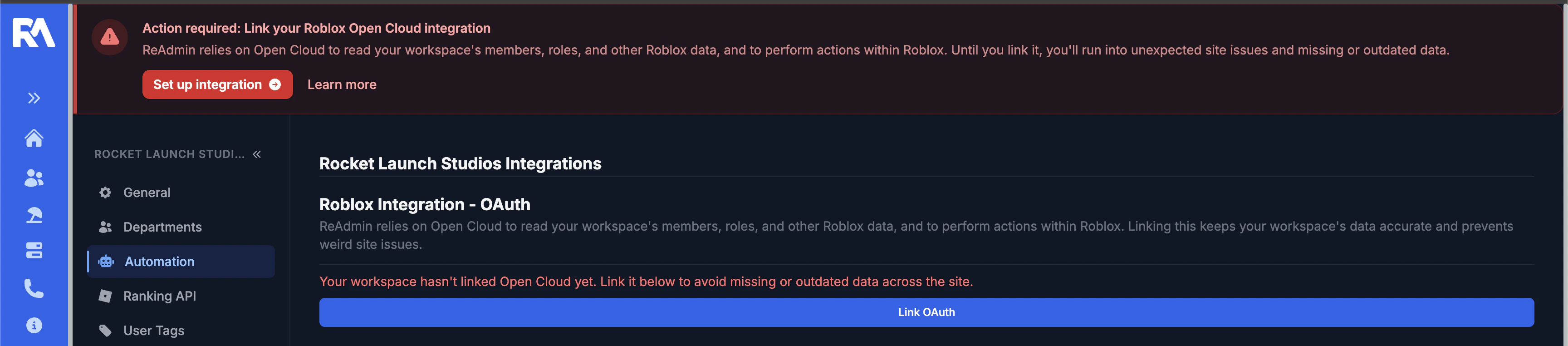 ### Let's set up the Roblox Integration!
ReAdmin links to Roblox using **Open Cloud OAuth**. This lets ReAdmin read your
group's members, roles and other Roblox data, and perform actions such as
ranking — all on your behalf, without ever handling an account password.
We strongly recommend linking with an account that has permission to manage your
group (for example the group owner or a high-ranking admin). The account you
authorize with becomes the source of automated group actions.
1. Click **Link OAuth**.
2. You'll be redirected to Roblox to confirm the account and grant ReAdmin
access. Review the requested permissions and approve them.
### Let's set up the Roblox Integration!
ReAdmin links to Roblox using **Open Cloud OAuth**. This lets ReAdmin read your
group's members, roles and other Roblox data, and perform actions such as
ranking — all on your behalf, without ever handling an account password.
We strongly recommend linking with an account that has permission to manage your
group (for example the group owner or a high-ranking admin). The account you
authorize with becomes the source of automated group actions.
1. Click **Link OAuth**.
2. You'll be redirected to Roblox to confirm the account and grant ReAdmin
access. Review the requested permissions and approve them.
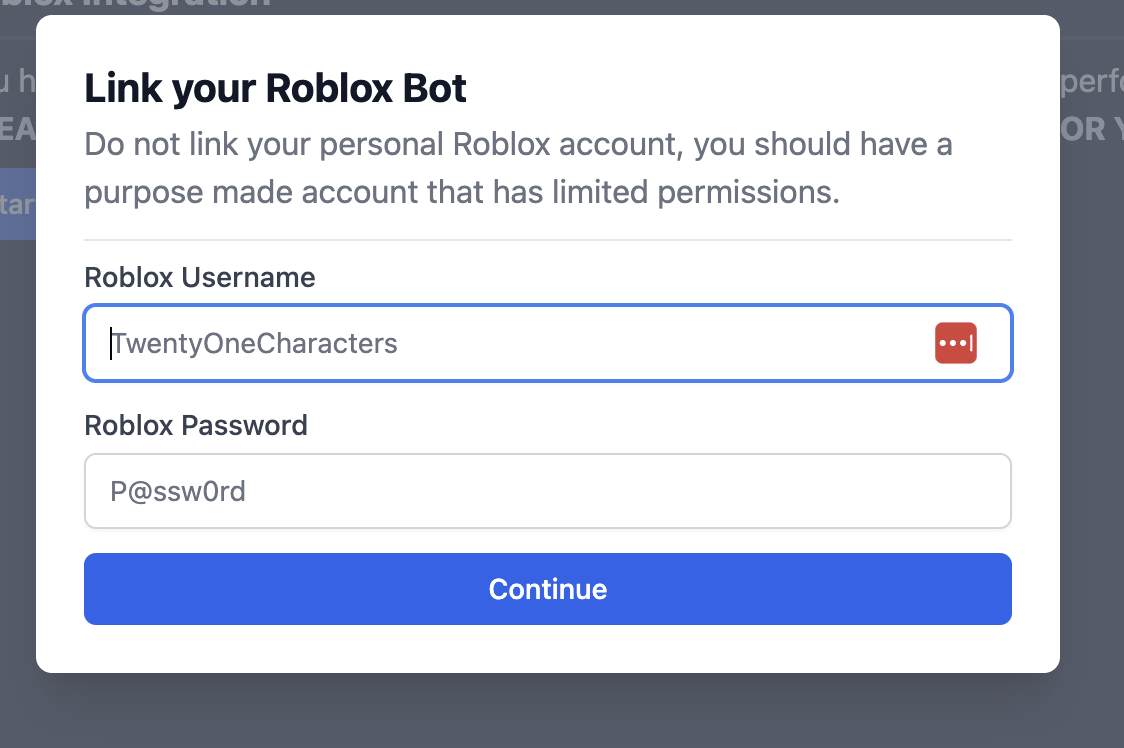 3. Roblox sends you back to ReAdmin and the link is stored securely. The button
now shows when the authorization was last refreshed, confirming it's active.
Linking Open Cloud keeps your workspace's member list, roles and other Roblox
data accurate across the entire site — even on the free plan, admins should link
it to avoid missing or outdated data.
ReAdmin automatically refreshes your authorization in the background. If it ever
expires, you'll be notified and can re-link it from this page at any time. You
can also revoke ReAdmin's access from your Roblox account settings whenever you
like.
### Why does ReAdmin need these permissions?
When you link Open Cloud, Roblox asks you to approve a set of OAuth permissions
(scopes). We only request what's required to keep your workspace accurate and to
perform the actions you ask ReAdmin to perform — nothing more. You can revoke
access at any time from your Roblox account settings. Here's exactly what each
permission is for:
| Permission | Why we request it |
| ----------------------- | ------------------------------------------------------------------------------------------------------------------------------------------------ |
| **openid** | Identifies which Roblox account authorized the link, so actions are attributed to the correct user. |
| **profile** | Reads your basic Roblox profile (username and ID) to display who linked the workspace and to attribute automated actions. |
| **group:read** | Reads your group's members, roles and other group data so ReAdmin can keep your member list, ranks and statistics accurate across the site. |
| **group:write** | Performs ranking and other group actions on your behalf — for example promoting, demoting or removing members through ReAdmin's automations. |
| **legacy-group:manage** | Manages join requests and other group operations that aren't yet covered by the newer Open Cloud APIs, so ReAdmin can fully automate your group. |
ReAdmin never receives or stores your Roblox password. OAuth grants ReAdmin
revocable access tokens scoped to exactly the permissions listed above, and you
stay in control — revoke access from your Roblox account settings whenever you
like.
### Let's set up the Discord Integration!
The Discord integration uses **Discord OAuth2** to add the ReAdmin bot to your
server and unlock automations and slash commands on premium plans.
1. Select **Link Discord Guild**.
2. You'll be redirected to Discord's authorization screen. Choose the server you
want to link and continue.
3. Roblox sends you back to ReAdmin and the link is stored securely. The button
now shows when the authorization was last refreshed, confirming it's active.
Linking Open Cloud keeps your workspace's member list, roles and other Roblox
data accurate across the entire site — even on the free plan, admins should link
it to avoid missing or outdated data.
ReAdmin automatically refreshes your authorization in the background. If it ever
expires, you'll be notified and can re-link it from this page at any time. You
can also revoke ReAdmin's access from your Roblox account settings whenever you
like.
### Why does ReAdmin need these permissions?
When you link Open Cloud, Roblox asks you to approve a set of OAuth permissions
(scopes). We only request what's required to keep your workspace accurate and to
perform the actions you ask ReAdmin to perform — nothing more. You can revoke
access at any time from your Roblox account settings. Here's exactly what each
permission is for:
| Permission | Why we request it |
| ----------------------- | ------------------------------------------------------------------------------------------------------------------------------------------------ |
| **openid** | Identifies which Roblox account authorized the link, so actions are attributed to the correct user. |
| **profile** | Reads your basic Roblox profile (username and ID) to display who linked the workspace and to attribute automated actions. |
| **group:read** | Reads your group's members, roles and other group data so ReAdmin can keep your member list, ranks and statistics accurate across the site. |
| **group:write** | Performs ranking and other group actions on your behalf — for example promoting, demoting or removing members through ReAdmin's automations. |
| **legacy-group:manage** | Manages join requests and other group operations that aren't yet covered by the newer Open Cloud APIs, so ReAdmin can fully automate your group. |
ReAdmin never receives or stores your Roblox password. OAuth grants ReAdmin
revocable access tokens scoped to exactly the permissions listed above, and you
stay in control — revoke access from your Roblox account settings whenever you
like.
### Let's set up the Discord Integration!
The Discord integration uses **Discord OAuth2** to add the ReAdmin bot to your
server and unlock automations and slash commands on premium plans.
1. Select **Link Discord Guild**.
2. You'll be redirected to Discord's authorization screen. Choose the server you
want to link and continue.
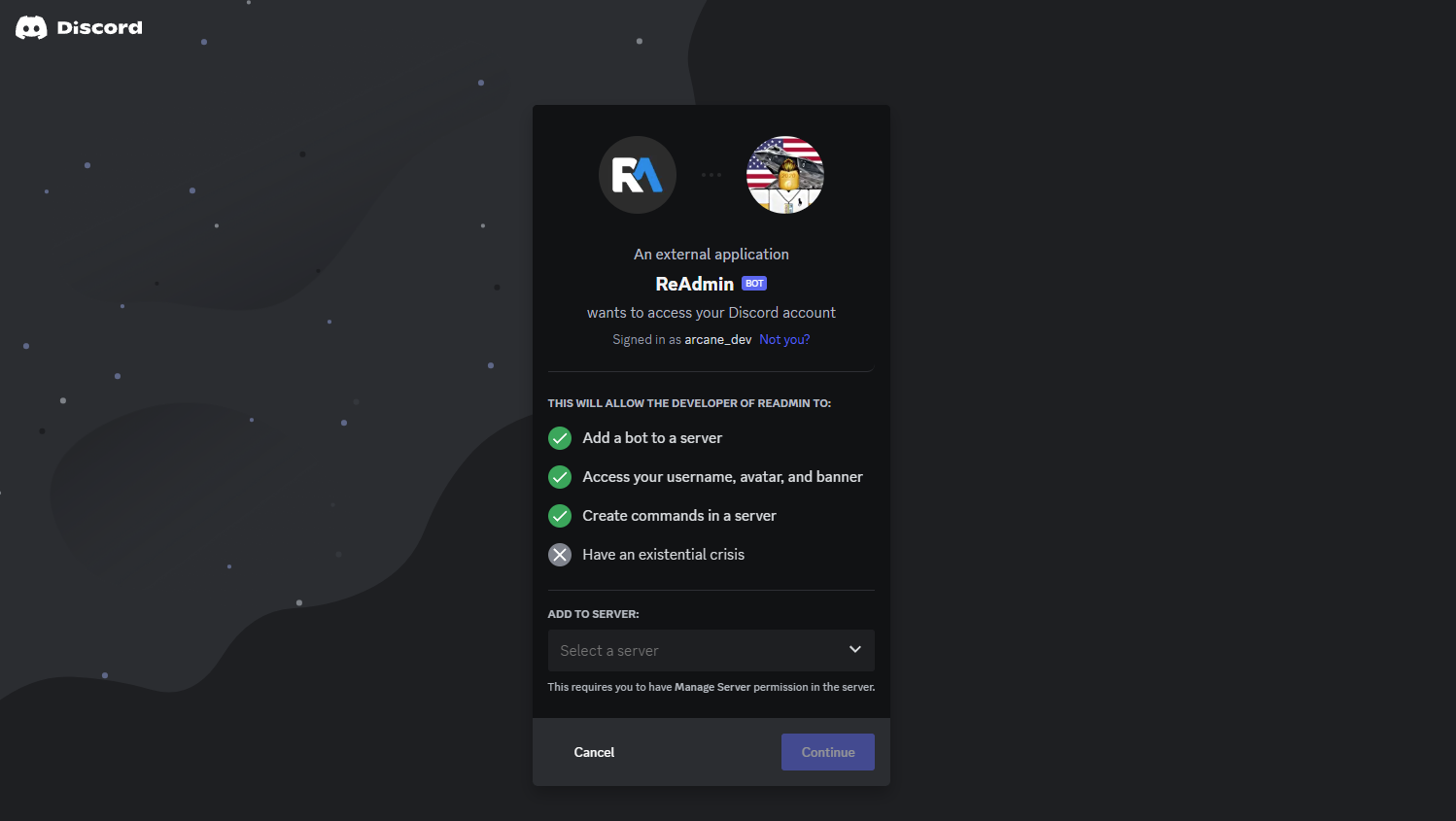 3. Grant the ReAdmin bot the requested permissions and click **Authorize**.
4. Once you're returned to ReAdmin, your server will appear as linked.
You can unlink your Discord server, or remove the ReAdmin bot from your server,
at any time.
3. Grant the ReAdmin bot the requested permissions and click **Authorize**.
4. Once you're returned to ReAdmin, your server will appear as linked.
You can unlink your Discord server, or remove the ReAdmin bot from your server,
at any time.