> ## Documentation Index
> Fetch the complete documentation index at: https://docs.readmin.app/llms.txt
> Use this file to discover all available pages before exploring further.
# Goals
> Goals are a great way to promote activity in your team
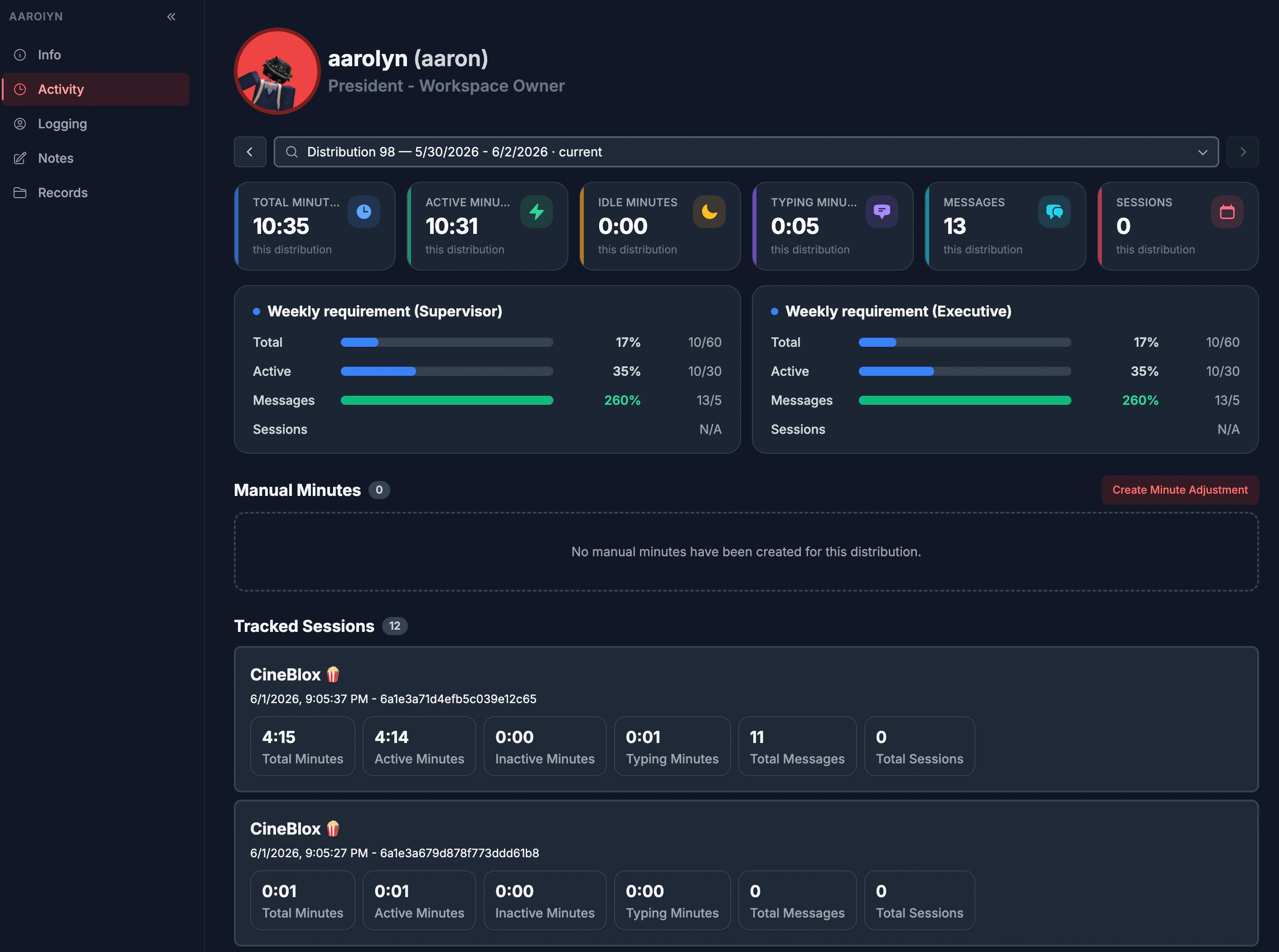 Activity goals allow teams to set the number of minutes a user should be active. They are a great way to promote activity, and view staff performance over many distributions.
Goals turn activity into motivation. Set clear, measurable targets — active
minutes and more — per department or across your whole workspace, and give every
member a concrete number to hit. Performance becomes visible, fair, and
self-driving.
### Let's create a new Activity Goal!
1. Click on "+ Create".
Activity goals allow teams to set the number of minutes a user should be active. They are a great way to promote activity, and view staff performance over many distributions.
Goals turn activity into motivation. Set clear, measurable targets — active
minutes and more — per department or across your whole workspace, and give every
member a concrete number to hit. Performance becomes visible, fair, and
self-driving.
### Let's create a new Activity Goal!
1. Click on "+ Create".
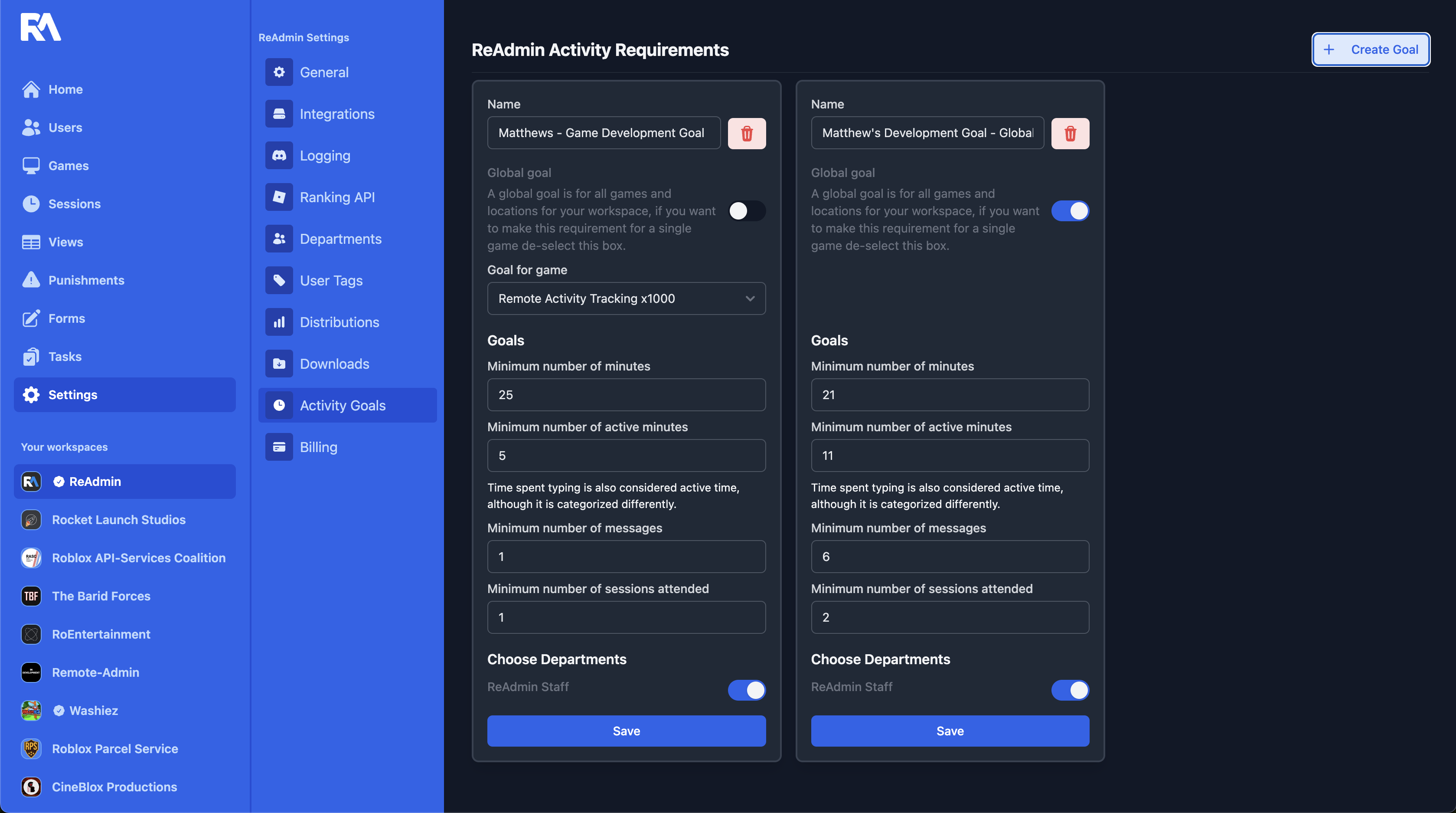 2. Give your Goal a name and enter the information.
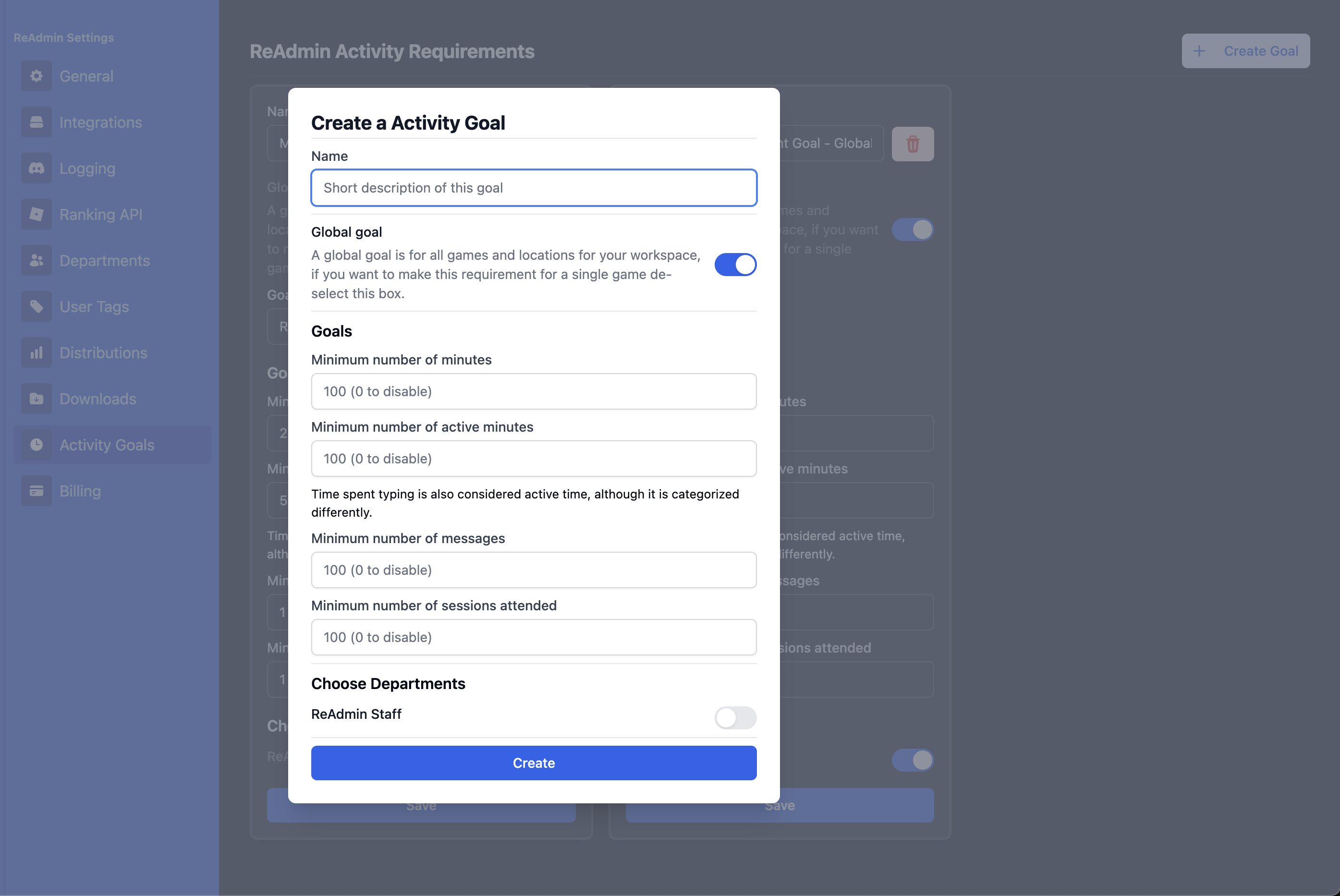 *Global Goal sets for all users, and for each game. If enabled, each game the player joins will count towards this goal. If left disabled, you will have to select the game(s) for which this goal counts. This only works for the games that have the Activity Tracking Loader. Values set to `0` in any field other than the name will disable the goal. If you don't want to have a goal for the total number of sessions, set the value to 0 and no one will be required to attend a session. You can set goals for each department.*
3. After all the information has been entered, click "Create Goal".
*Global Goal sets for all users, and for each game. If enabled, each game the player joins will count towards this goal. If left disabled, you will have to select the game(s) for which this goal counts. This only works for the games that have the Activity Tracking Loader. Values set to `0` in any field other than the name will disable the goal. If you don't want to have a goal for the total number of sessions, set the value to 0 and no one will be required to attend a session. You can set goals for each department.*
3. After all the information has been entered, click "Create Goal".