> ## Documentation Index
> Fetch the complete documentation index at: https://docs.readmin.app/llms.txt
> Use this file to discover all available pages before exploring further.
# Sessions
> Sessions allow you to create scheduled events where staff can claim roles to faciliate the event.
For workspaces that prefer to automate session tracking, you can use our [sessions API](/api-reference/endpoint/sessions/get-all-upcoming-sessions)!
Sessions turn your events — trainings, raids, shifts, patrols, tryouts — into
organized, claimable operations. Staff sign up for the roles they'll run and
everyone sees who's covering what. Recurring events build themselves on a
schedule, session servers link to your live Roblox games, and a Discord event can
fire automatically the moment a session is claimed.
## Session Calendar
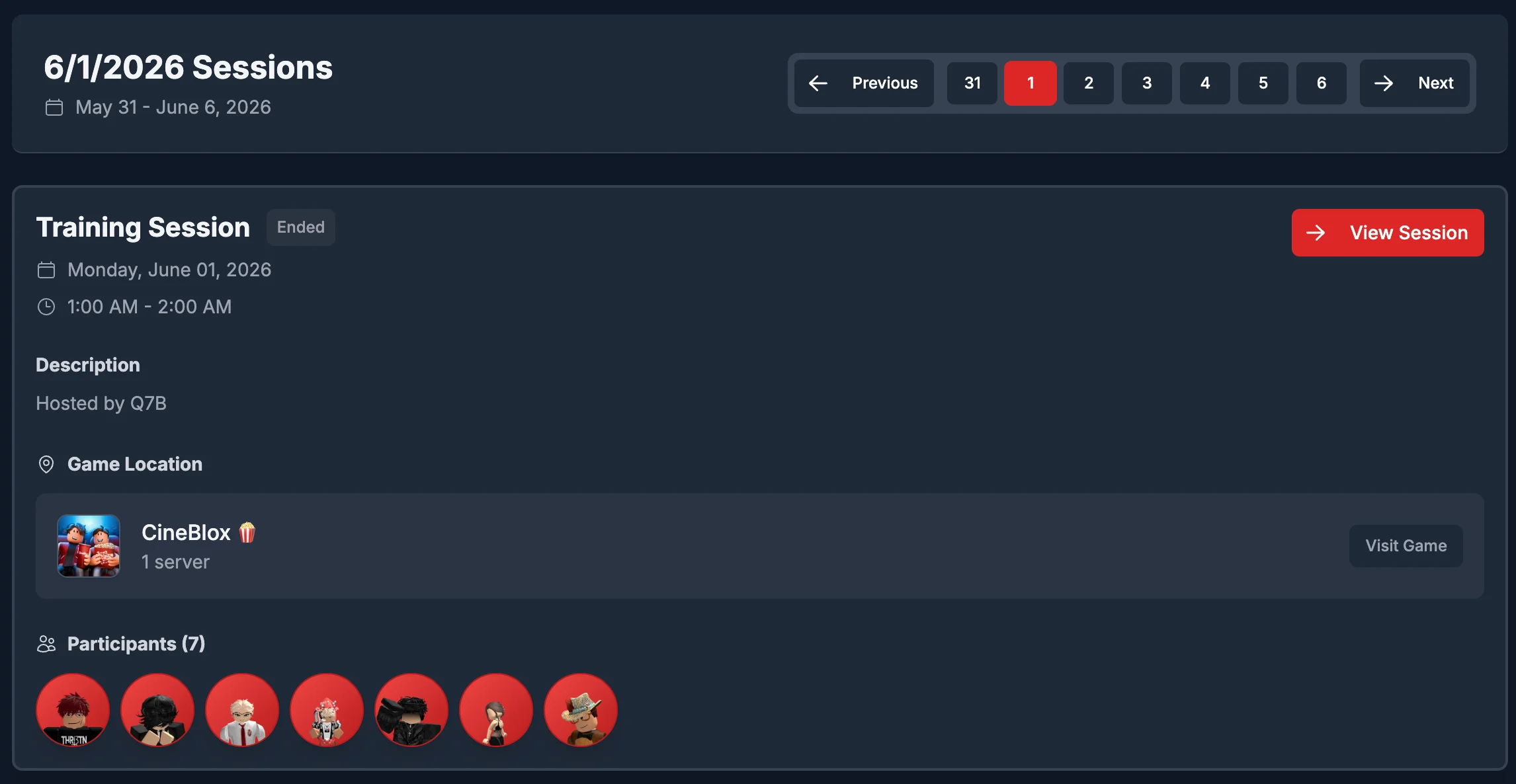
The calendar allows you to view scheduled sessions. You can also create one-time sessions. Sessions are color-coded based on their occurrence. If it has already ended it is red, if it is in-progress it is green, if it is about to start it is yellow, and if it hasn't occurred yet it is grey. The calendar displays in your local-time zone.
 ## Session view
The session view page allows you to view sesison details, and manage information related to it. If it is a one-off session you will have a special tab that will allow you to delete the session.
### Claims
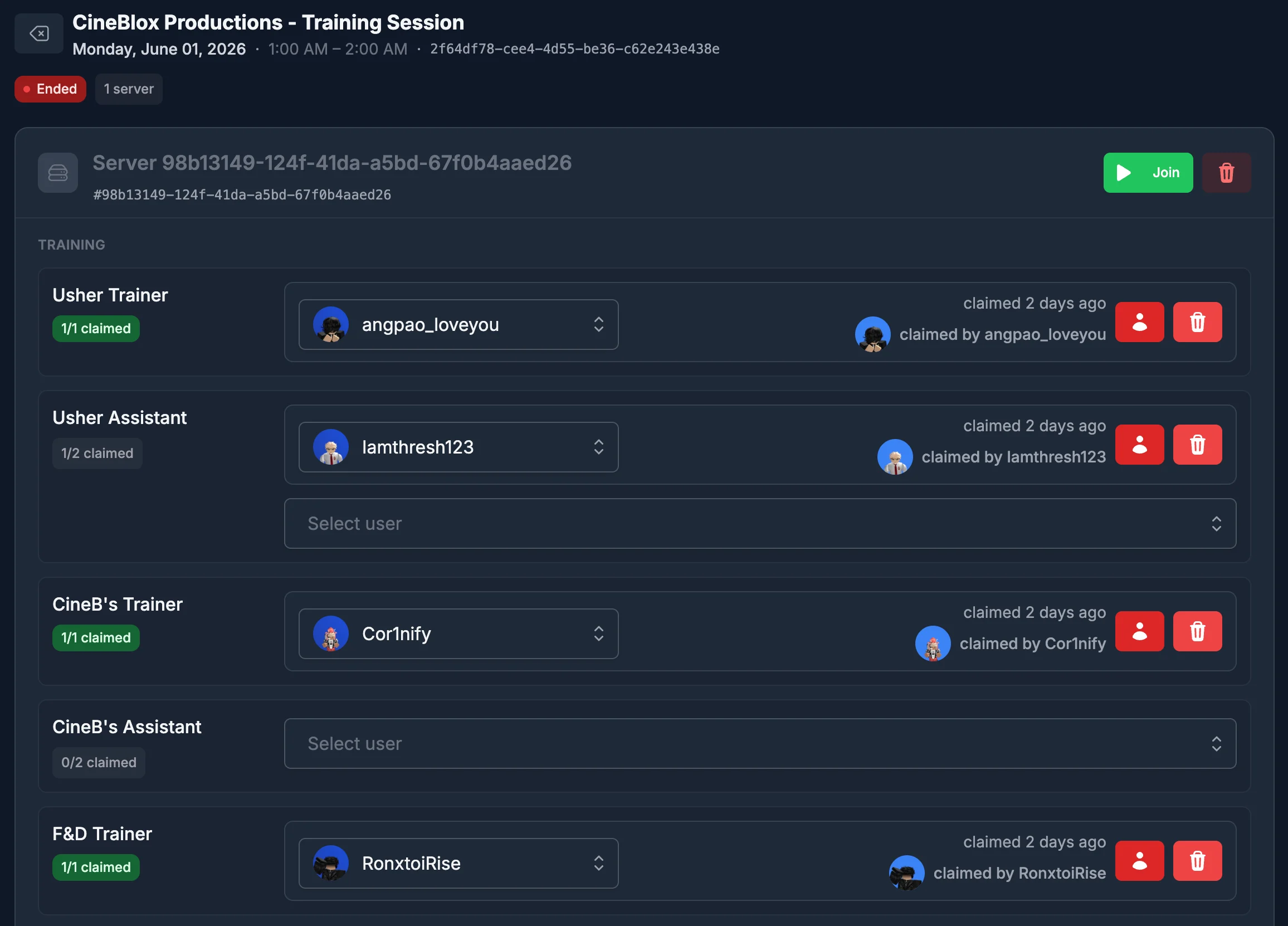
Session claims allow you to claim a role, and see users who have already taken a role. You can also click into the [users](/features/user) page, or optionally remove the claim.
## Session view
The session view page allows you to view sesison details, and manage information related to it. If it is a one-off session you will have a special tab that will allow you to delete the session.
### Claims
Session claims allow you to claim a role, and see users who have already taken a role. You can also click into the [users](/features/user) page, or optionally remove the claim.
 ### Servers
To allow users to claim a session, you must first have a server they are in. You can create as many servers as you would like, and you can also link a session server to a running Roblox server that has the ReAdmin module. You can also assign servers a nickname to make it easier to recognize.
### Comments
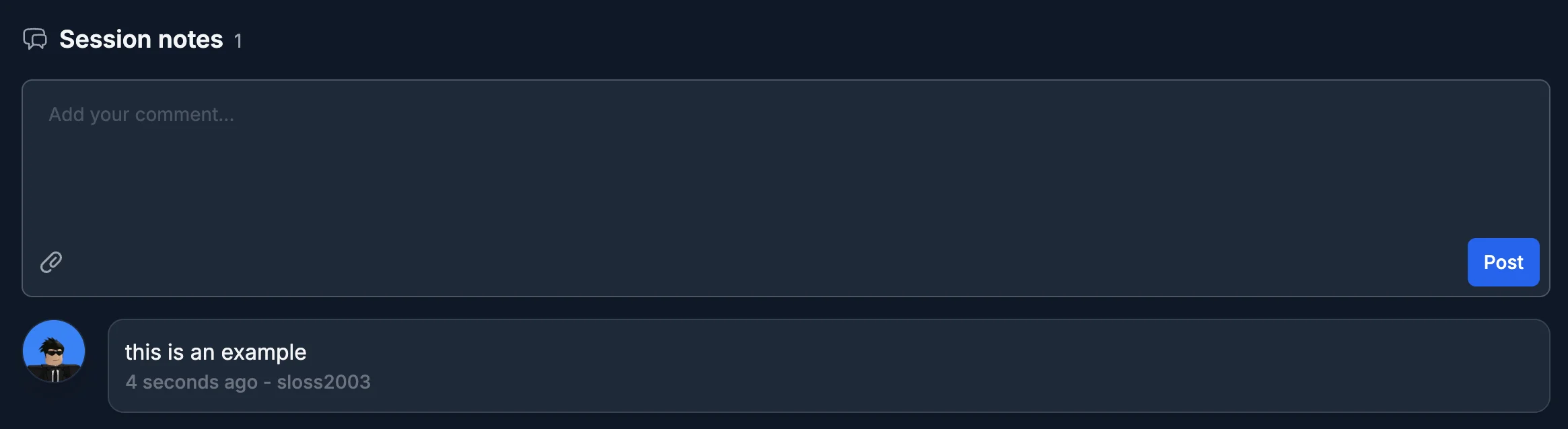
Session comments allow you to leave comments or notes on the session.
### Servers
To allow users to claim a session, you must first have a server they are in. You can create as many servers as you would like, and you can also link a session server to a running Roblox server that has the ReAdmin module. You can also assign servers a nickname to make it easier to recognize.
### Comments
Session comments allow you to leave comments or notes on the session.
 ## Session Template Schedule
The session template schedule allows you to view or create a schedule for a session template. This allows you to create a session template that will automatically create sessions based on the schedule you set. It is worth noting that **a session is not created until it is claimed by a user.**
## Session Template Schedule
The session template schedule allows you to view or create a schedule for a session template. This allows you to create a session template that will automatically create sessions based on the schedule you set. It is worth noting that **a session is not created until it is claimed by a user.**
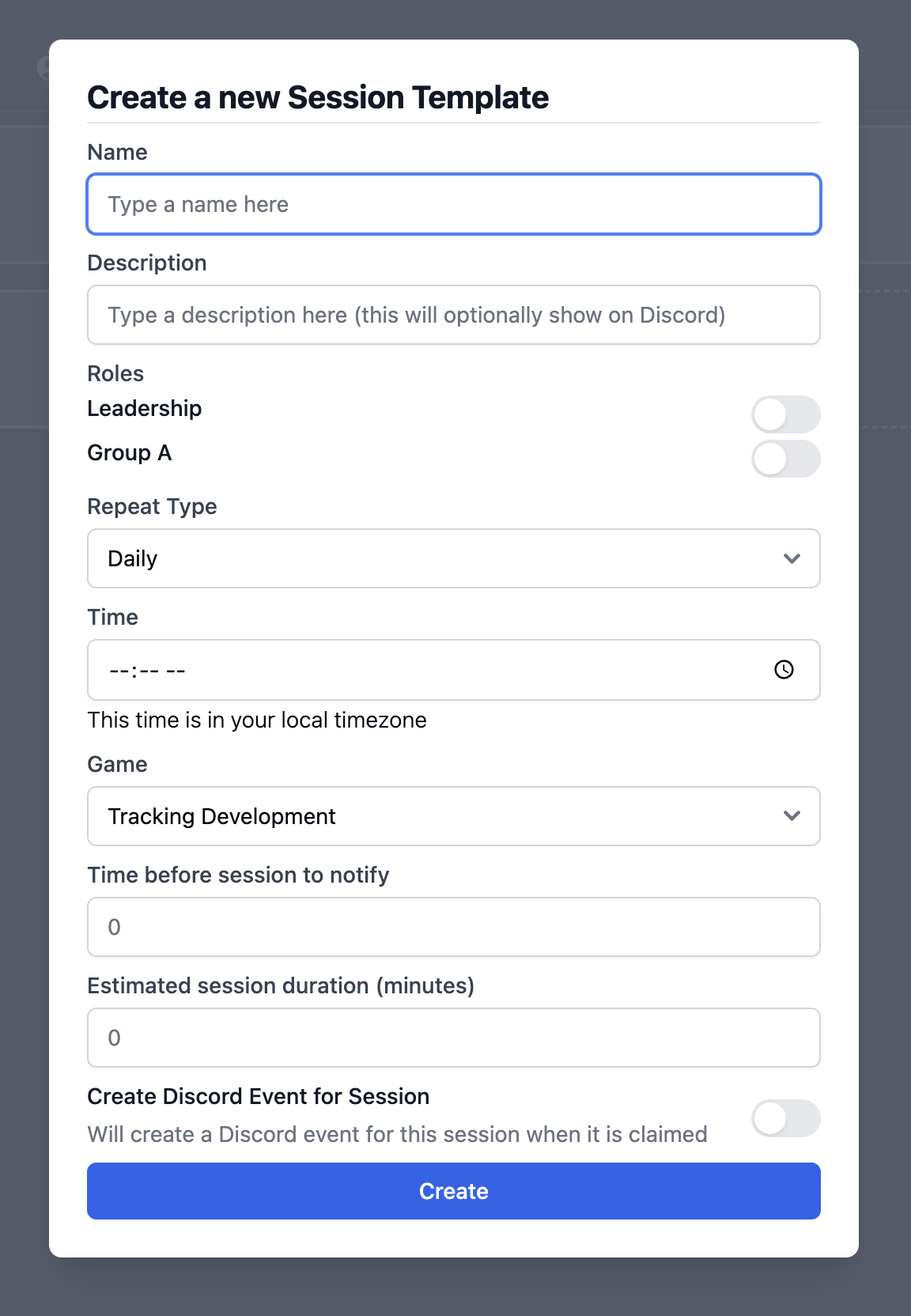
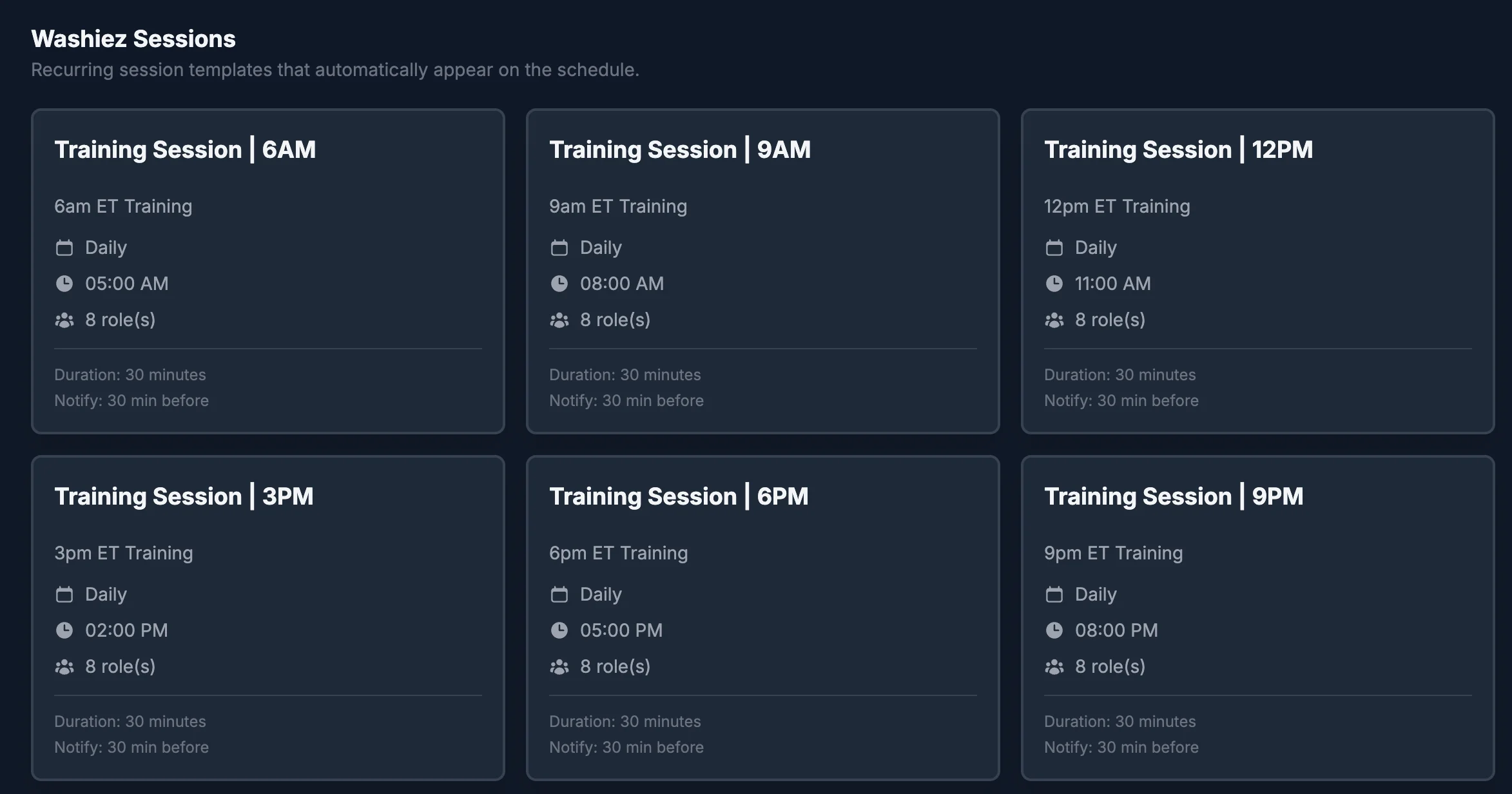 A template controls everything about how its recurring sessions are generated:
* Daily or weekly repeat patterns.
* Time, day, and game selection.
* Role-group assignment for claimable session roles.
* Notification lead time before a session starts.
* Optional Discord event creation.
You can create templates from the schedule page, then edit or remove them at any time — each one acts as the operational base for every session it generates.
### Creating a new session
A template controls everything about how its recurring sessions are generated:
* Daily or weekly repeat patterns.
* Time, day, and game selection.
* Role-group assignment for claimable session roles.
* Notification lead time before a session starts.
* Optional Discord event creation.
You can create templates from the schedule page, then edit or remove them at any time — each one acts as the operational base for every session it generates.
### Creating a new session
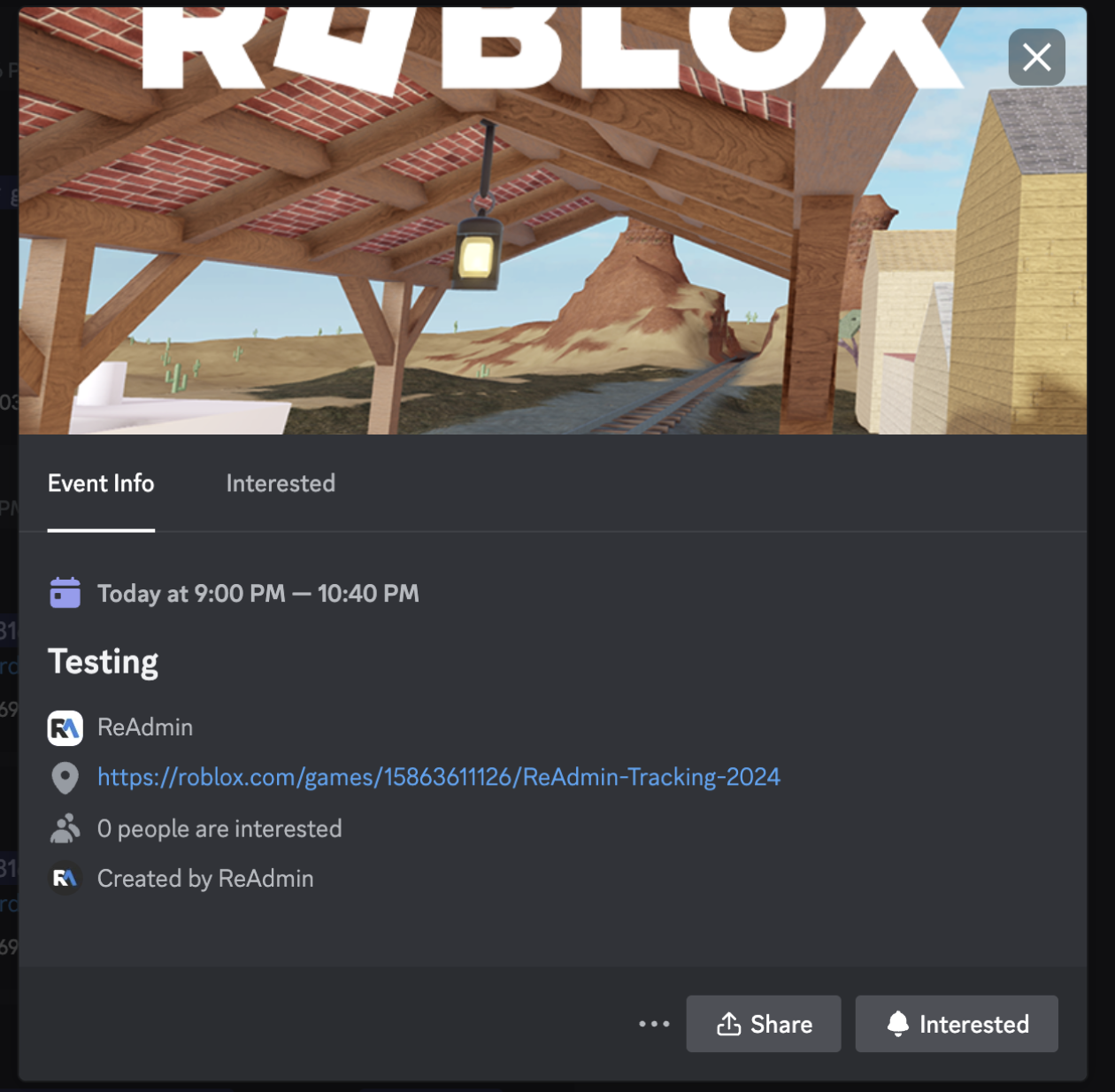
 *If you have installed the ReAdmin Discord bot then you can optionally create an event in your Discord once the session has been claimed.*
 ## Session Role Groups
Role groups are the basis of sessions. They are the roles you create that users can claim in sessions — define them once, with their own requirements and limits, and reuse them across all your session templates.
## Session Role Groups
Role groups are the basis of sessions. They are the roles you create that users can claim in sessions — define them once, with their own requirements and limits, and reuse them across all your session templates.
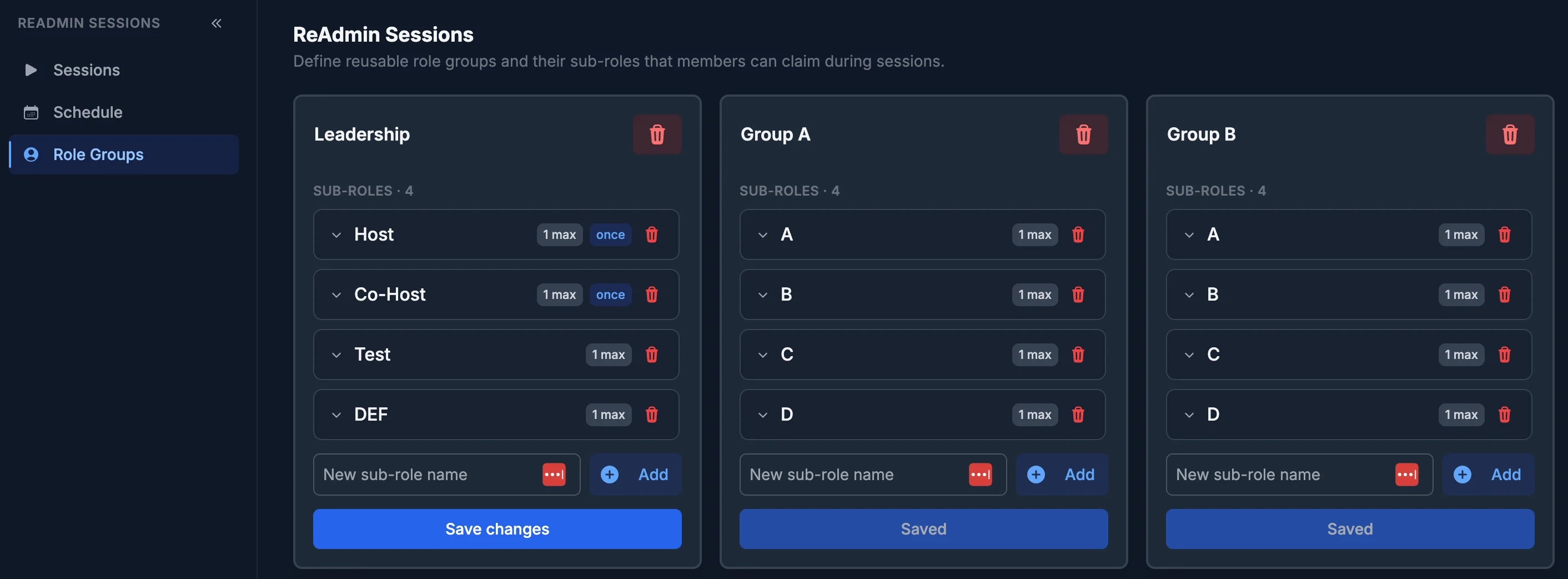 When building a role group you can:
* Create role groups for different session staffing models.
* Add sub-roles with individual constraints.
* Configure a per-role maximum number of users.
* Set minimum Roblox rank requirements.
* Enable claim-once behavior for non-admin users.
These requirements are enforced every time a session is claimed or re-claimed, so the right people always run the right roles.
When building a role group you can:
* Create role groups for different session staffing models.
* Add sub-roles with individual constraints.
* Configure a per-role maximum number of users.
* Set minimum Roblox rank requirements.
* Enable claim-once behavior for non-admin users.
These requirements are enforced every time a session is claimed or re-claimed, so the right people always run the right roles.